 Digital Gameday
Team Staff guides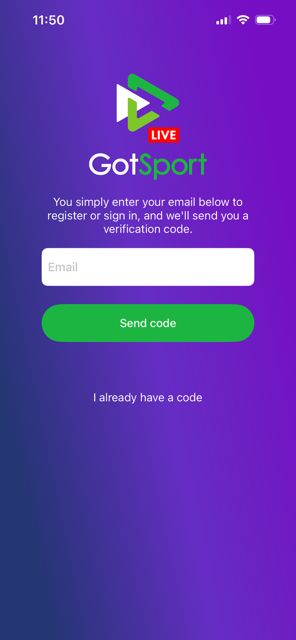
Team Staff
Getting Started with the GotSport Live App
How to find and log in to the GotSport Live App for the first time as a team coach or manager.
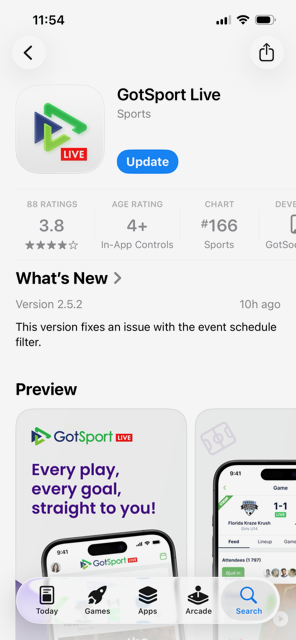
2Step 2
Open the app and enter the email address connected to your coach or manager profile in GotSport. That you use the same userID email set up in your coach or manager profile by your club in GotSport is very important.
3Step 3
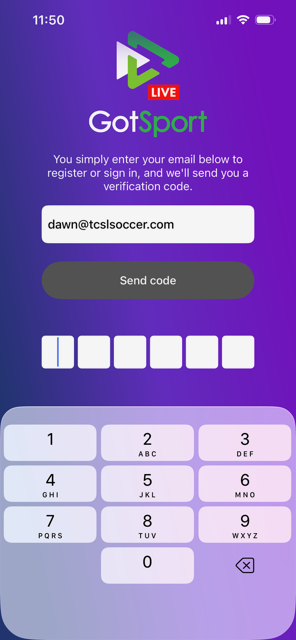
You will be asked to enter a code sent to the email address entered.
4Step 4
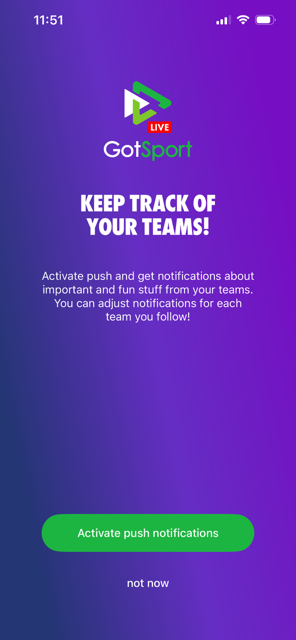
You will have the option to activate push notifications, this will send notifications related to your team, match chat, reschedule requests and upcoming matches.
5Step 5
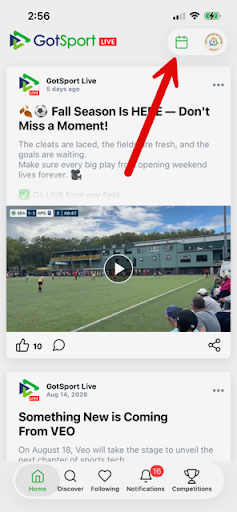
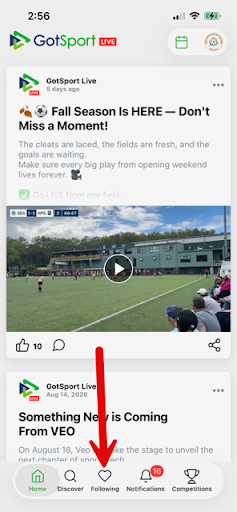
Tapping the calendar icon in the upper right will bring up the list of your upcoming matches. This is how you access gameday rostering and access the match official QR code.
6Step 6
Tapping on the Following icon at the bottom will show the teams you are connected with as team staff (or other teams you opt to follow as a spectator later). Tapping the team will bring you to the team profile.